Zero-config scaffolding
A folder of docs is a complete project — no starter to clone, no framework to learn. Navigation, search, theming, and OG images all work before you write a config file.
Zero-config docs, tested for real
A zero-config documentation framework, tested on a real Salesforce open-source project instead of a demo: 39 pages, native Mermaid diagrams, a theme system, and an agent skill bundled into the same npm install.
The starting point
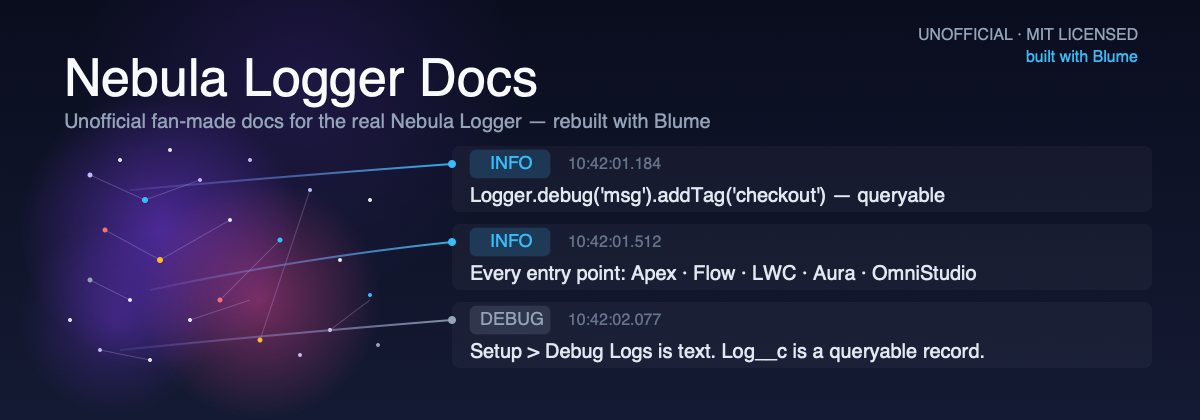
Nebula Logger is a Salesforce open-source logging framework for Apex, Lightning components, Flow, and OmniStudio. Its documentation lives on a GitHub wiki: a sidebar list, no search, no way to tell a beginner page from a reference page at a glance. Blume is a zero-config documentation framework from Hayden Bleasel that shipped to npm a few days before I tried it. I wanted a real body of content to test it against — a project with genuine documentation debt already stacked up — so I picked Nebula Logger and rebuilt its docs from the ground up.
First build
npx blume init scaffolded the project in under a minute — no config file to write before anything rendered. Six pages went up that first afternoon: an overview, one page each for developers, admins, and architects, a tagging reference, and an about page. Every one of them used Blume's built-in components — Tabs, CodeGroup, CardGroup, Panel — without a single import statement, and every one rendered correctly on the first try. The full static build finished in under four seconds.
Takeaway
Six real pages, four components, no config file, under four seconds to build — the entire cost of trying Blume fit inside one afternoon.
Past the demo
Six pages doesn't prove a framework holds up past a demo. So I cloned Nebula Logger's actual source repository and its wiki repository, and fanned out 33 subagents — a mix of Sonnet and Haiku — to write against the real material, one subagent per page, nothing pulled from memory. Twenty-six of the wiki's pages got rebuilt from their original content. Seven reference pages were built from the project's own ApexDocs output and its object metadata. Combined with the six start-here pages from the first afternoon, that's 39 pages, one working build.
The wrong numbers
The first published README said 40 pages and 148 Apex classes. Both were wrong — the real numbers are 39 and 53. Two review agents caught the page count on a cold read; the class count took one more step, tracing it back to the project's own generated docs.
Takeaway
Blume's site is markdown in a git repo, so fixing both numbers was two file edits and a push — the same process as fixing a typo.
Theme tokens
Theming is a small set of config tokens — accent color (a named preset or any CSS value), corner radius, color mode, and separate fonts for headings, body, and code — plus a theme.css escape hatch for anything the tokens don't cover. No ejecting into a custom Astro project required.
Takeaway
For a team without a dedicated designer, that's the actual pitch: on-brand in a few config lines instead of a CSS project.
Going deeper
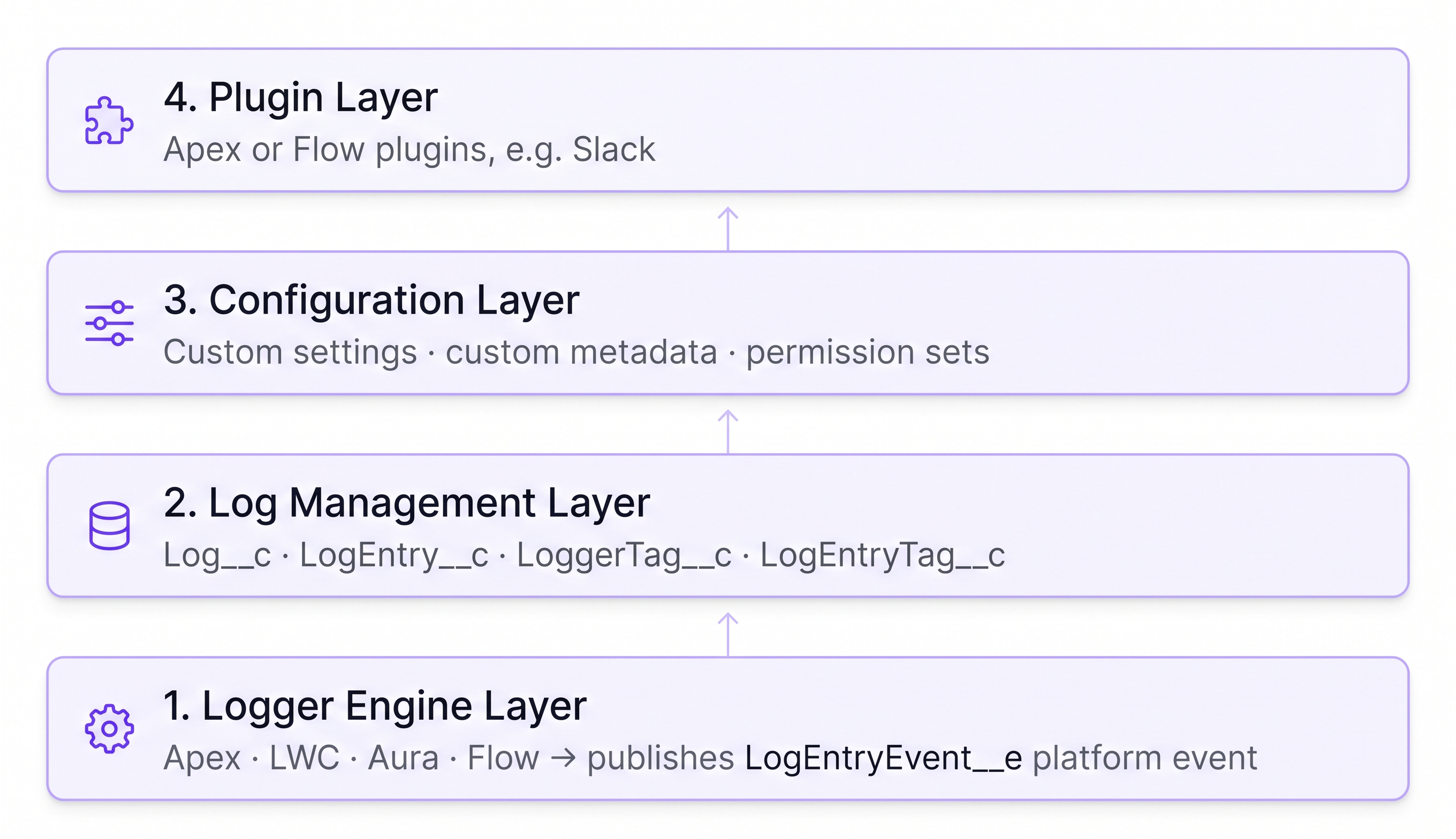
Mermaid renders straight from a plain fenced code block — no plugin, no extra config, because Blume bundles Mermaid itself. I used it for an architecture flowchart, an entity-relationship diagram, and sequence diagrams, grounded in Nebula Logger's real objects: Log__c, LogEntry__c, LoggerTag__c, LogEntryTag__c, and LogEntryEvent__e.
Takeaway
The one rough edge — a Tailwind rule stripping padding around a code block — took one read of Blume's own component source to trace and fix. Details below.
The rest of the library
The component library goes well past Tabs and CardGroup — cards, columns, steps, accordions, badges, code groups, frames, file trees, type tables, live component previews, diffs, and more, all usable in MDX with no imports. I used four for real: Steps to walk through how the site got built, a Diff block for the wrong-number fix two sections up, a Type Table for Log__c's status fields, and a GitHub info card pulling Nebula Logger's live star and fork count at build time.
Takeaway
That last one replaced a hardcoded "935+ stars" sitting in two pages, already stale by the time I wrote it. The live card showed 952 stars and 240 forks the day I checked.
Built for agents
An official skill for Claude Code, Codex, and Cursor — installed with npx skills add haydenbleasel/blume — teaches an agent to scaffold the site, write pages, and configure the theme. On the read side, every page is machine-readable by default: append .md to a URL for the raw source, an auto-generated llms.txt indexes the whole site, and an optional MCP server lets a reader's own agent search and read the docs directly instead of scraping HTML.
The result
Live demo and source are both public, including the commit history showing the wrong page and class counts and the two commits that fixed them.
Unofficial, fan-made demo — not affiliated with or endorsed by Nebula Logger's maintainers. Nebula Logger is copyright Jonathan Gillespie and contributors, MIT licensed. I also have no affiliation with Blume or its author — no sponsorship, no referral link, nothing to gain from recommending it. I tried it on a real project and this is what happened.
Takeaway
If you maintain a Salesforce package or internal tool with docs stuck in a stale wiki, the Blume config and build setup are free to reuse. Only the adapted Nebula Logger content itself carries attribution.
Cheat sheet
A folder of docs is a complete project — no starter to clone, no framework to learn. Navigation, search, theming, and OG images all work before you write a config file.
Diagrams and math render straight from fenced code blocks and $$ syntax — both are bundled in, so there's nothing extra to install.
Accent color, radius, color mode, and fonts are config tokens; a theme.css file covers anything they don't. No custom Astro project required.
An agent skill (npx skills add haydenbleasel/blume) helps you build the site; .md URLs, llms.txt, and an optional MCP server let readers' agents consume it.